
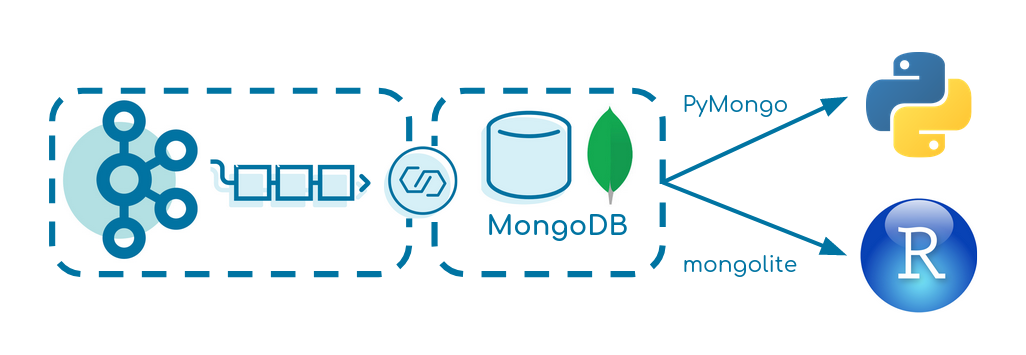


This small tutorial creates a data pipeline from Apache Kafka over MongoDB into R or Python. It focuses on simplicity and can be seen as a baseline for similar projects.
docker-compose up -d
It starts:
- Zookeeper
- Kafka Broker
- Kafka Producer
- built docker image executing fat JAR
- Kafka Connect
- with MongoDB Connector
- MongoDB
- RStudio
- Jupyter Notebook
The Kafka Producer produces fake events of a driving truck into the topic truck-topic in JSON format every two seconds.
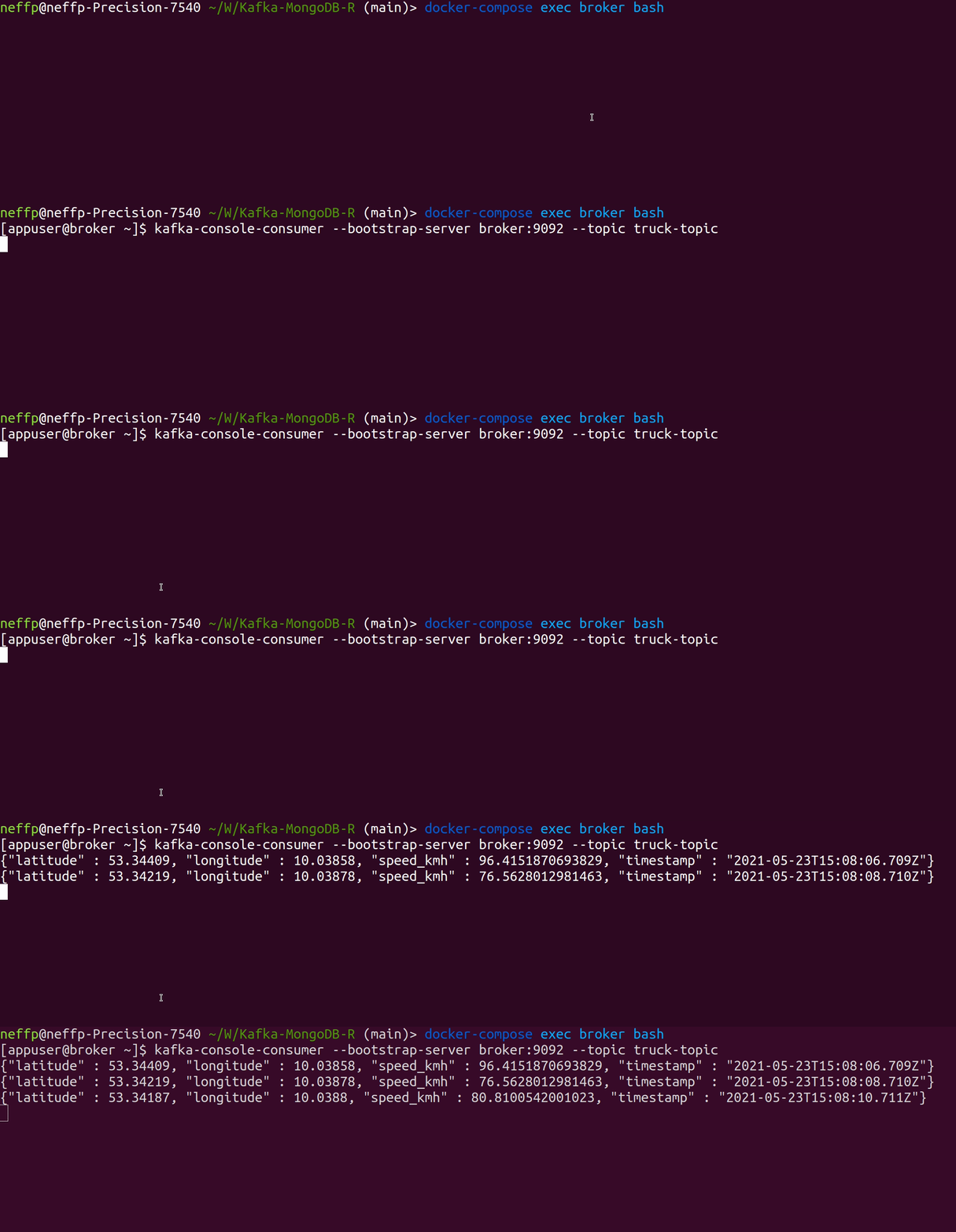
Verify that data is produced correctly:
docker-compose exec broker bash
kafka-console-consumer --bootstrap-server broker:9092 --topic truck-topic

We use Kafka Connect to transfer the data from Kafka to MongoDB. Verify that the MongoDB Source and Sink Connector is added to Kafka Connect correctly:
curl -s -XGET http://localhost:8083/connector-plugins | jq '.[].class'
Start the connector:
curl -X POST -H "Content-Type: application/json" --data @MongoDBConnector.json http://localhost:8083/connectors | jq
Verify that the connector is up and running:
curl localhost:8083/connectors/TestData/status | jq
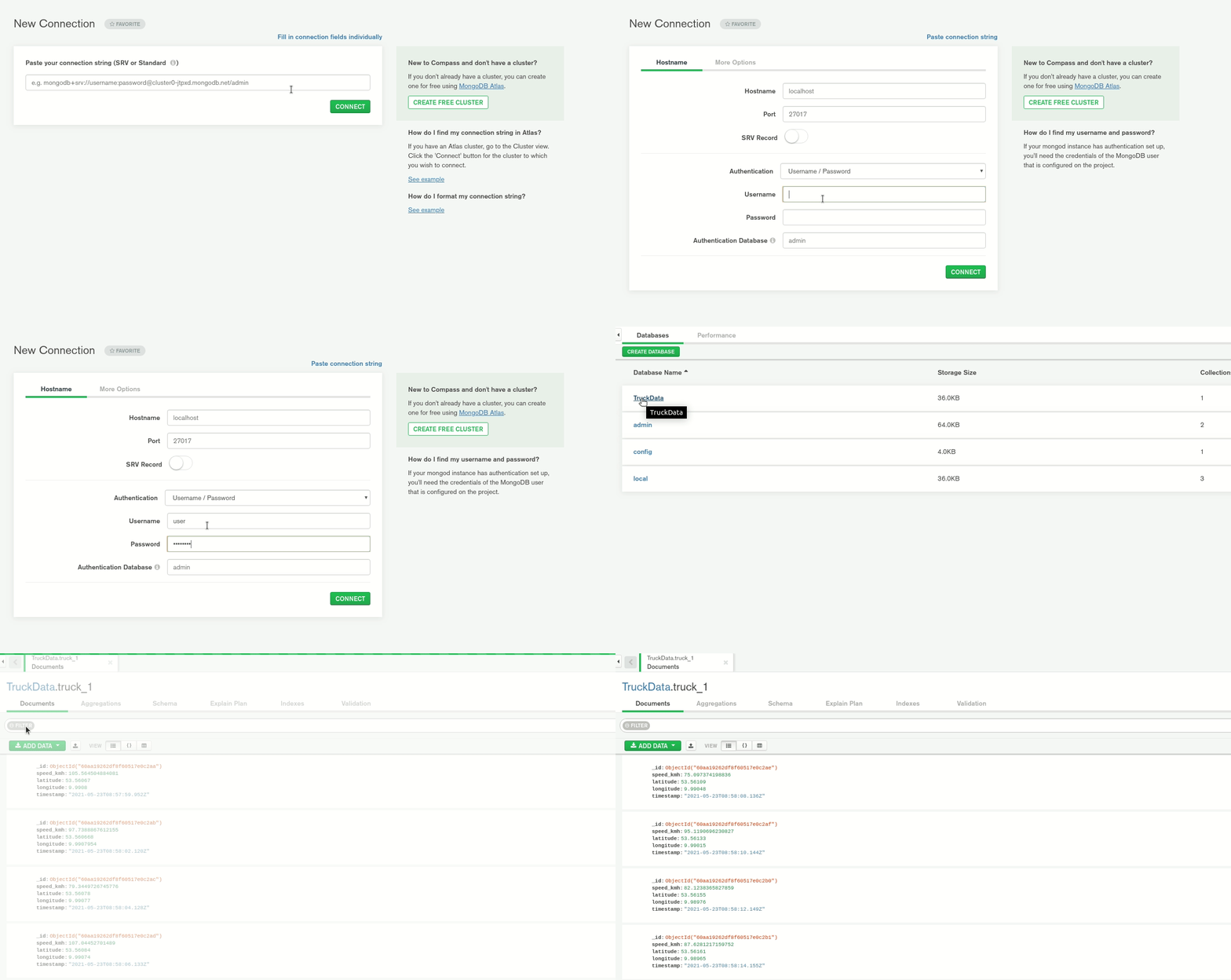
Start MongoDB Compass and create a new connection with:
username: user
password: password
authentication database: admin
or
URI: mongodb://user:password@localhost:27017/admin
You should see a database TruckData with a collection truck_1 having data stored.

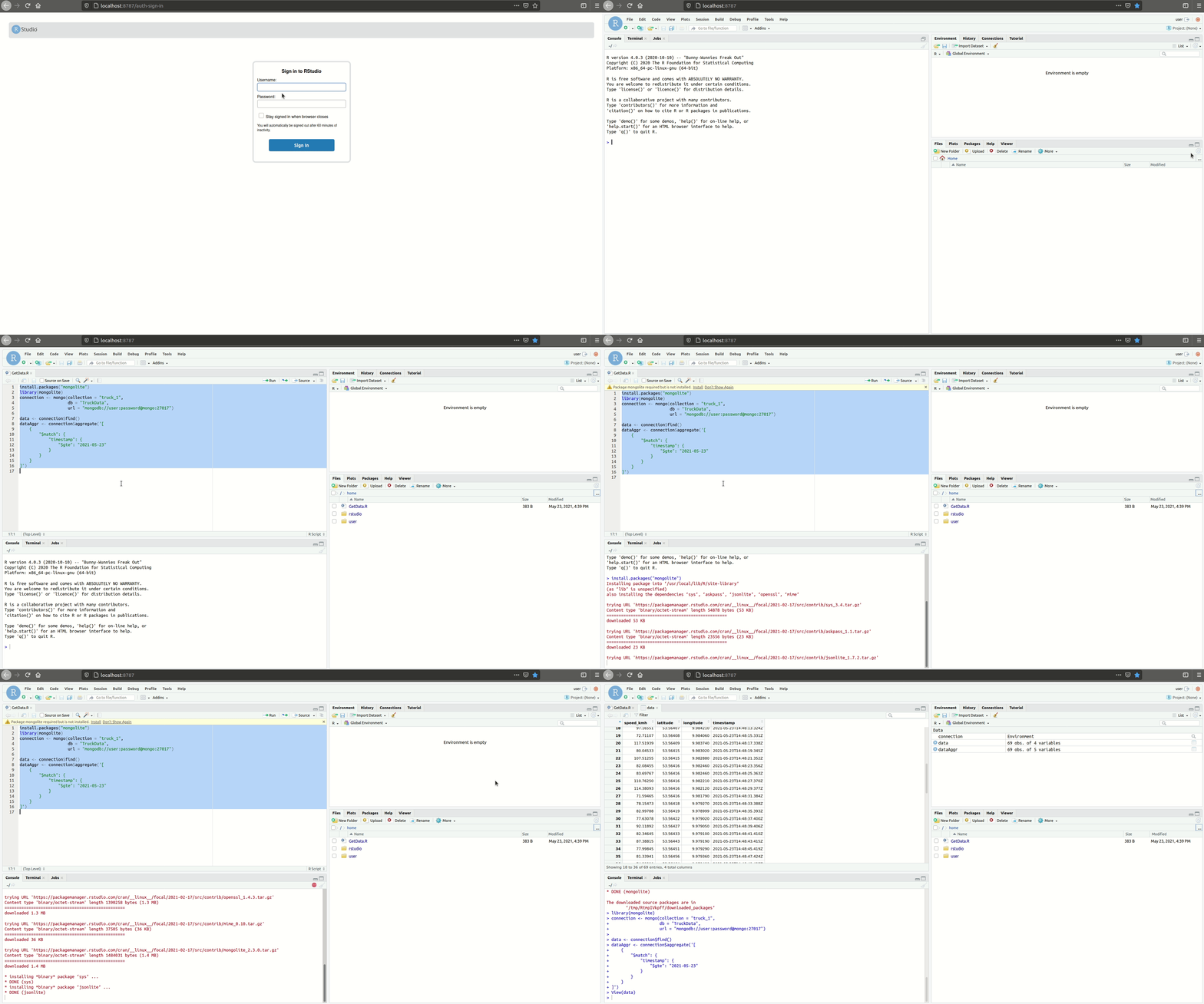
Open RStudio via:
localhost:8787
The username is user and password password.
Under /home you can run GetData.R. It connects to MongoDB using the package mongolite and requests the data.

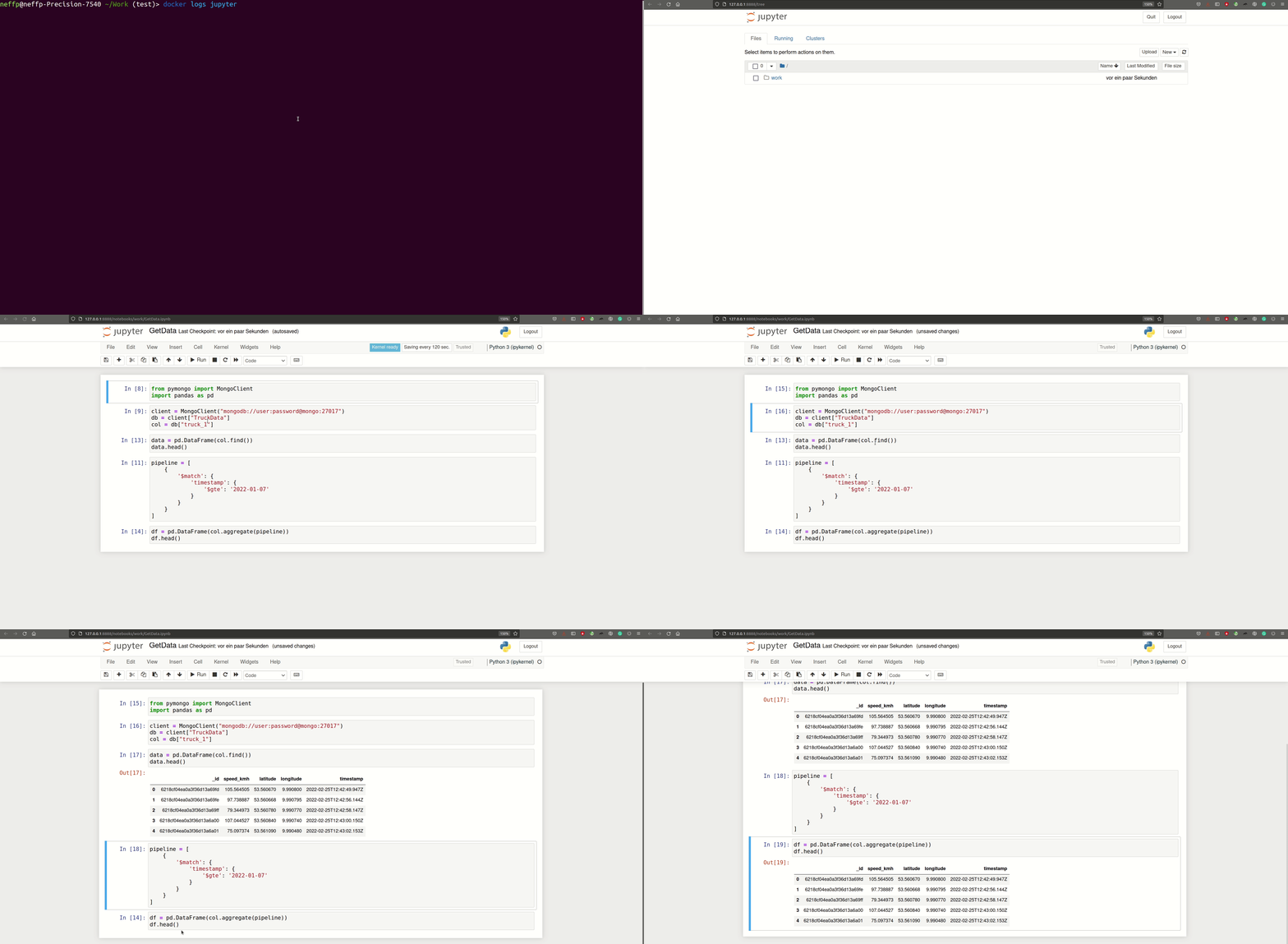
Get Jupyter Notebooks’ URL:
docker logs jupyter
Under /work you can run the Jupyter notebook using the distribution PyMongo.

Leave a Reply